Case study · Personal project

Genomap: our family history, mapped in the stars

Our family history was scattered and disconnected. I wanted to bring all of it into one place that's beautiful to look at, that my kids will have one day, and that the whole family can help keep up to date.

RoleDesign & development
Scale231 people and growing
Built withNext.js, Prisma, Postgres
Creative partnerClaude Code
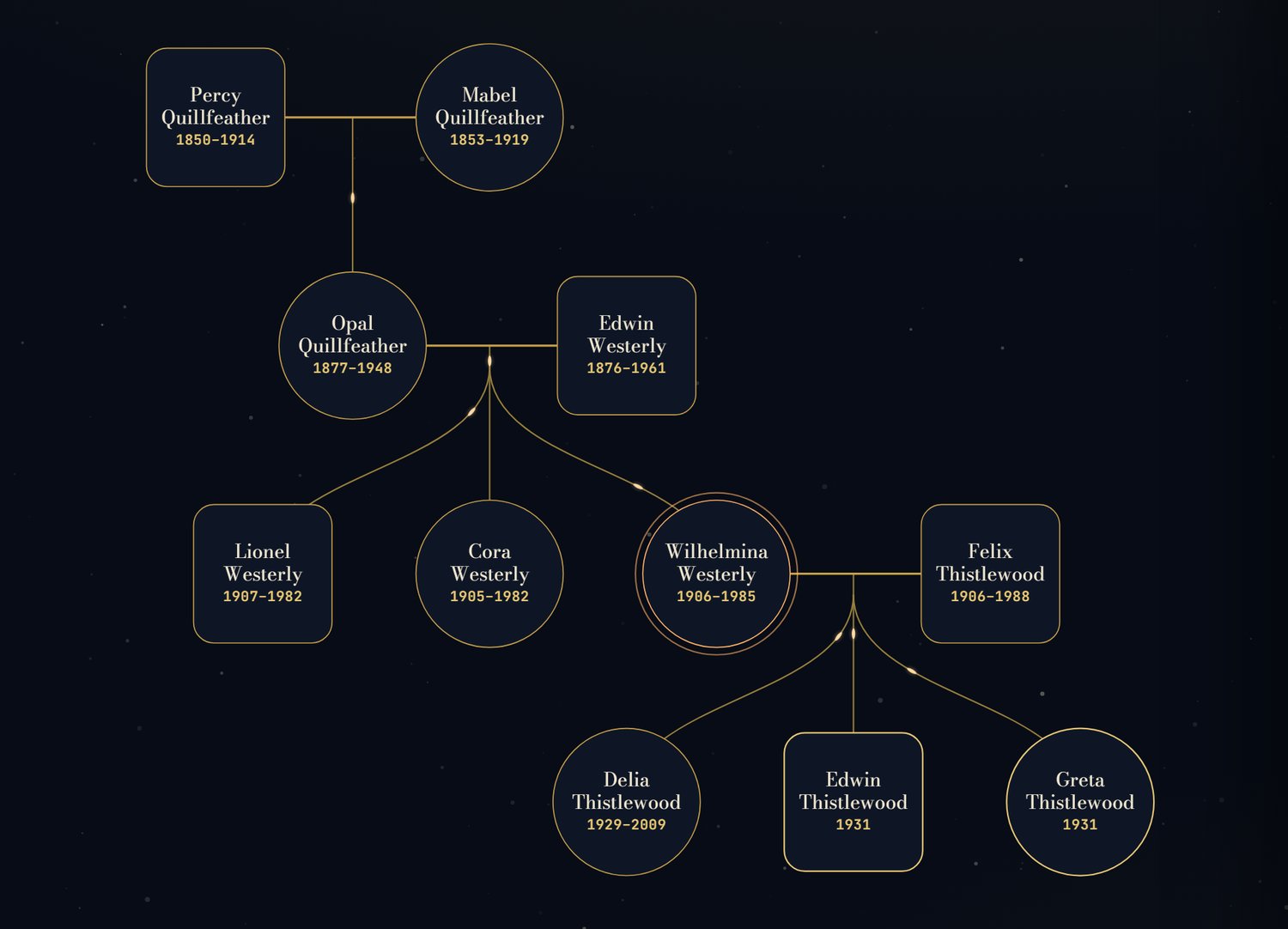
Real app · made-up family Genomap's star map showing a made-up family from the app's tests: three generations of name badges joined by gold lines, with Wilhelmina Westerly highlighted.

The real app, showing the made-up family from its own tests. The real map holds my relatives' names and dates, so it never appears here.

Why I built it

The information about our family lived in a lot of different places. I wanted one area that pulls it all together, looks beautiful, and doesn't depend on me alone to keep it right.

A family tree is really a map of how everyone connects, so I drew it as one: every person is a star, and the lines between them are the family.

Who it's for

I designed it with the older generation of our family in mind. That meant bigger text, simple steps, and touch targets that are easy to hit. It also had to work on every screen people use, from a phone to an iPad to a computer.

People open it for three reasons, and none of them wins:
Job 1Look someone upFind one relative fast, then open their card.
Job 2Explore the mapWander the branches; see how everyone connects.
Job 3Show it to someonePull it up to share with a relative or a friend.

No dominant job meant no shortcut: every screen size had to serve all three.

Key decisions

1 · Every screen gets its own layout

It's tempting to treat a phone as a small computer, or an iPad as a big phone. They're not: you hold an iPad like a phone, but you show it to people like a screen. So the phone, the iPad and the computer each get their own layout. Here's the same person on a computer and on a phone:

Real app · made-up family
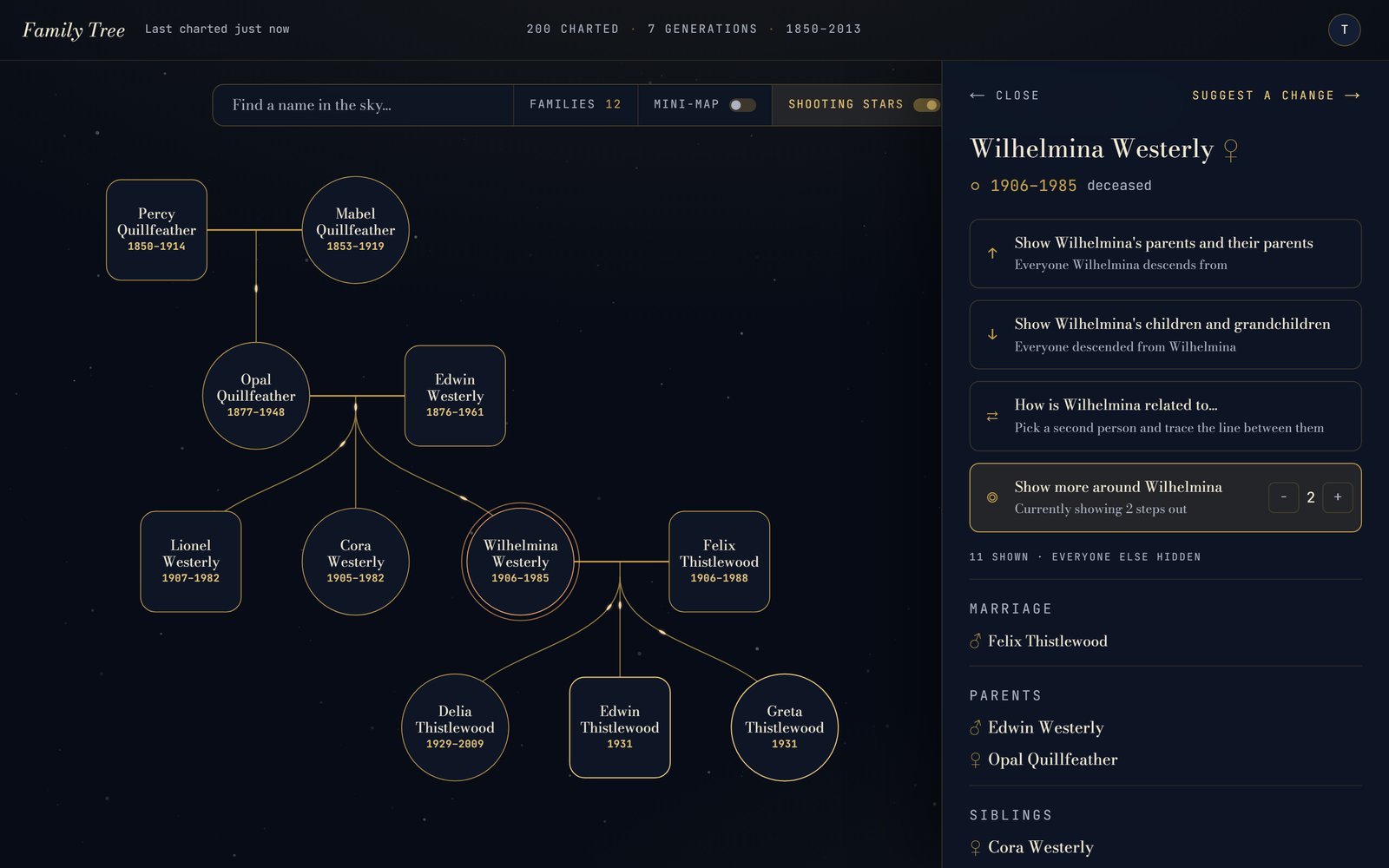
Computer
Genomap on a computer: the family map on the left and Wilhelmina Westerly's card in a side panel on the right, with options to show her ancestors, her descendants, how she's related to someone, and more of the family around her.
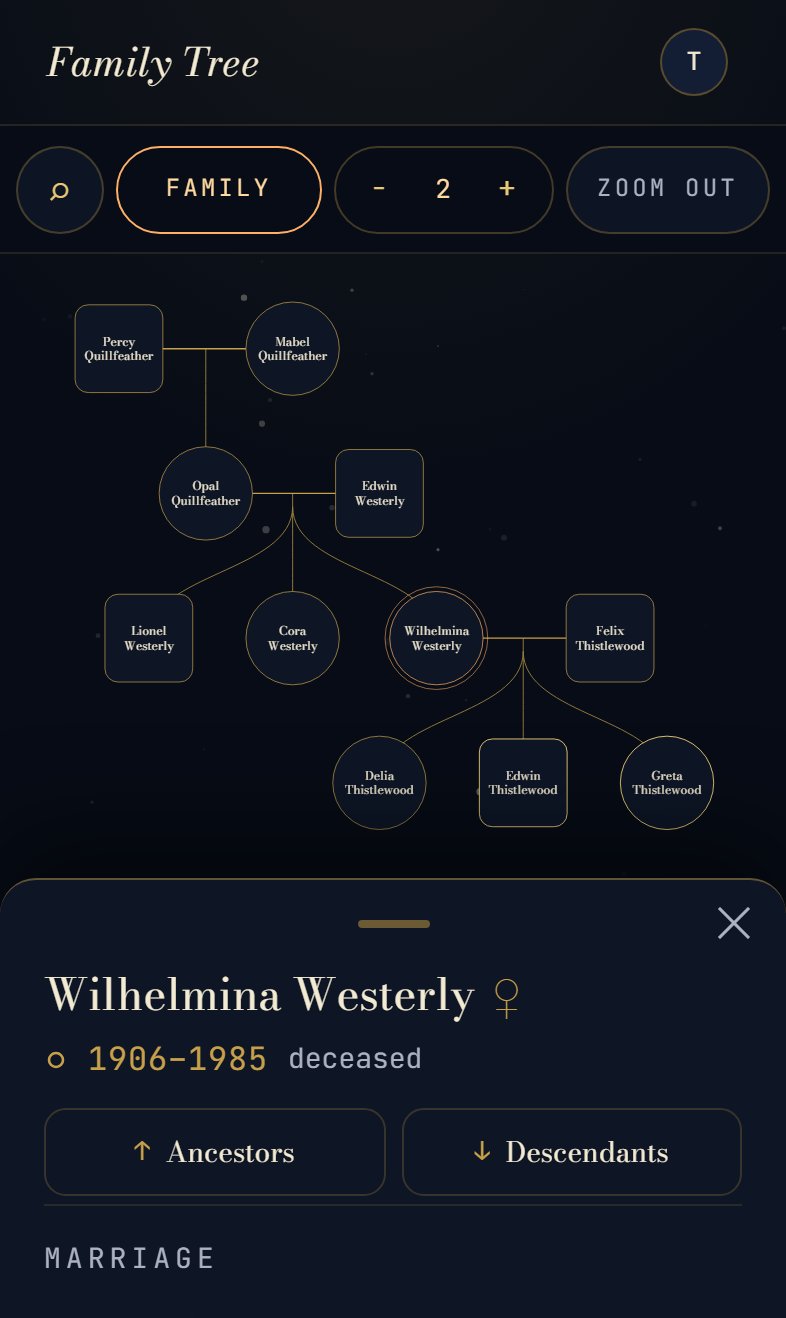
Phone
Genomap on a phone: a search button and Family, steps and Zoom out controls in a bar at the top, the family map in the middle, and Wilhelmina Westerly's card in a sheet at the bottom with Ancestors and Descendants buttons.

The same person on a computer and on a phone. Every touch control is at least 44px.

  1. SearchA field in the toolbar on a computer. On a phone it's a single button, so the map gets the room.
  2. The person's cardA side panel next to the map on a computer. On a phone, a sheet that slides up from the bottom and can be pulled down out of the way.
  3. Family toolsA computer shows every option. A phone keeps the two used most, Ancestors and Descendants, with Family and steps out in the bar.

2 · Five small releases instead of one big rewrite

Pinch-to-zoom, the iPad layout, the phone layout, a search-first start screen, and a way to flag mistakes. Each one shipped on its own, and a lot of the fixes after that came straight from using it on my own phone.

3 · The family helps keep it right

Anyone in the family can flag a mistake, suggest a change, or add a missing relative. Nothing changes until I review it, so the tree stays accurate and everyone still has a say.

4 · Write down the why

Every design decision is numbered with the reason behind it, past seventy now. A full test pass is more than 600 automated browser checks across eight screen sizes, so a fix for the phone doesn't quietly break the iPad.

5 · Protect the people in it

A family tree is personal information about people who never signed up for a website. The site is private and sign-in only, and this case study uses only made-up visuals.

What I'm proudest of

How it looks. A lot of thought went into making such a big family tree look good, while still making it easy and pleasant to see relationships, ancestors and descendants. And it works on a phone and an iPad, not just on a big monitor.

What I learned

Design for the people who'll use it, and for the devices they'll use it on. A family tree is a hard thing to make look nice on a small screen, but we did it.